Link Aggregation - The switch and the server have to agree
Link aggregation gives us link redundancy and doubles the bandwidth1.
We more or less virtualize those two physical links into a single “Bond”, “Port-Channel”, “Ether-Channel”, or “Link Aggregation/LAG/LAGG” interface using one of several protocols. I only know of LACP/802.3ad so that’s what I’ll explain from a practicioners point of view.
Layer 1 — physical. Just the cabling: two independent links, nothing aggregated yet.
flowchart LR
    subgraph Host["pve-node1"]
        nic0["Nic 0"]
        nic1["Nic 1"]
    end
    subgraph Switch["access-switch"]
        int111["Int 1/1/1"]
        int112["Int 1/1/2"]
    end
    nic0 === |"Cat6"| int111
    nic1 === |"Cat6"| int112
Layer 2 — data link. LACP (802.3ad) is what turns those two physical
links into one logical one. bond0 and lag1 are the aggregate interfaces;
flowchart LR
    subgraph Host["pve-node1"]
        nic0["Nic 0"]
        nic1["Nici 1"]
        Bond["bond0 (802.3ad)"]
        nic0 --- Bond
        nic1 --- Bond
    end
    subgraph Switch["access-switch"]
        lag1["lag 1"]
        int111["int 1/1/1"]
        int112["int 1/1/2"]
        lag1 --- int111
        lag1 --- int112
    end
    Bond <-.-> |"LACP 'session'"| lag1
Layer 3 — network. The IP address lives on the aggregate interface,
not on either physical NIC — nic0/nic1 never get addresses of their
own.
flowchart LR
    subgraph Host["pve-node1"]
        IP1["bond0
        10.10.0.11/24"]
    end
    subgraph Switch["access-switch"]
        IP2["VLAN 10
        (no IP · bridged only)"]
    end
    subgraph Host2["pve-node2"]
        IP3["bond0
        10.10.0.12/24"]
    end
    IP1 --- IP2
    IP2 --- IP3
    IP1 <-.->|"IP reachability"| IP3
On the proxmox side, it looks about like this
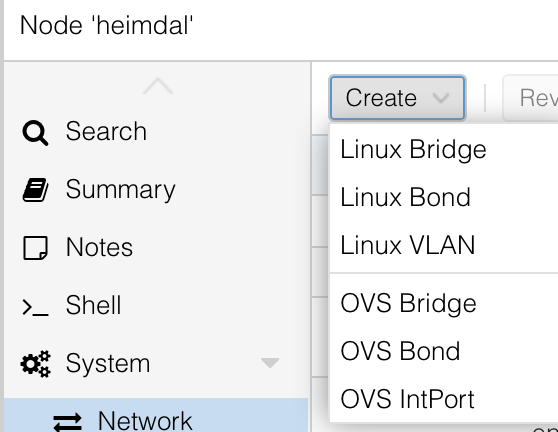
Datacenter/Host/Network/Create Linux Bond
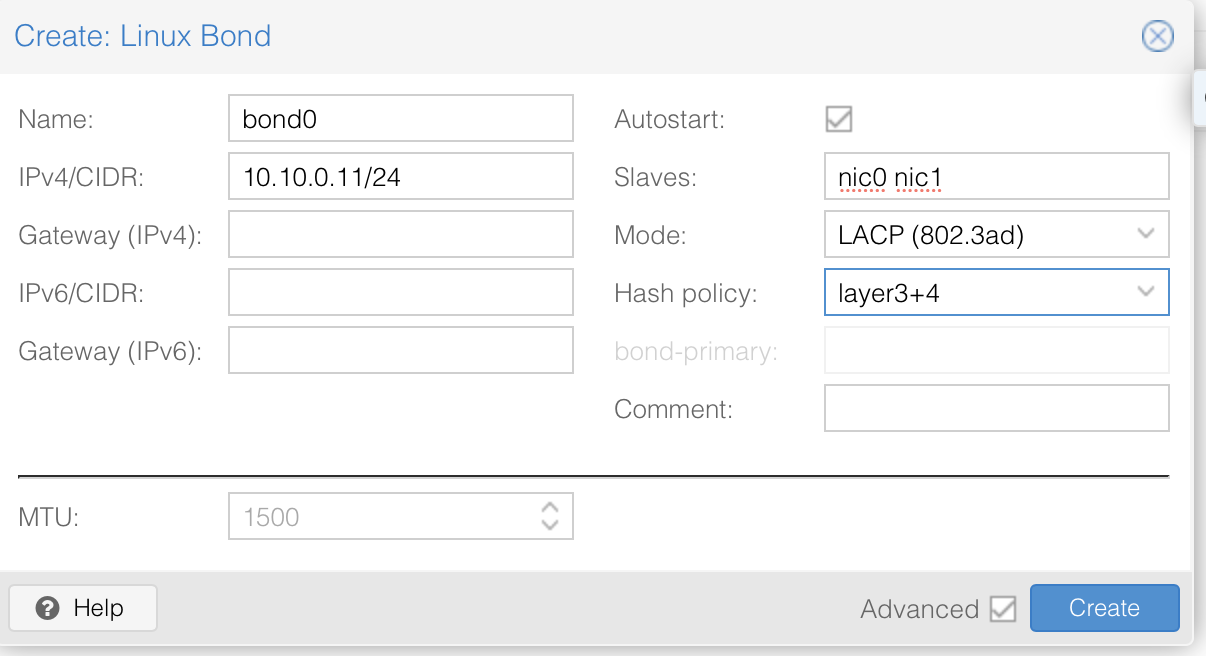
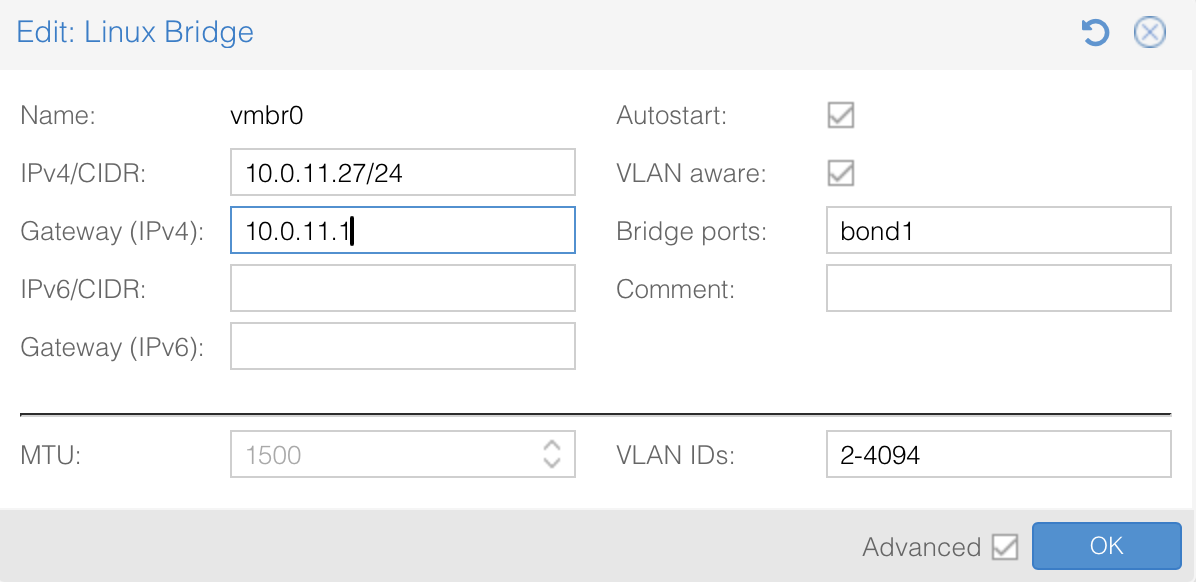
Now, you’ll need to create a vmbridge interface as well so that VMs can use the bonded interface and that’s where the IP will go
 And hit apply!
When you hit apply, you’ll disconnect yourself from your PVE box, make sure you’ve got console/physical access or are really sure you’ve got it configured right! :)
On the switch, the same two physical ports need to join one port-channel with LACP active on both sides:
interface 1/1/1
    description pve-eno0
    no shutdown
    lag 1
    exit
interface 1/1/2
    description pve-eno1
    no shutdown
    lag 1
    exit
interface lag 1
    description pve-lacp
    no shutdown
    no routing
    vlan trunk native 10
    vlan trunk allowed all
    lacp mode active
    exit
Once both ends agree, cat /proc/net/bonding/bond0 will show both slaves
in state: 1 (active). If it shows one link active and one stuck in an
aggregator of its own, that’s the switch side — not Linux.
LACP does connection-based ’load-balancing’… so if you have a single connection, it’ll only use a single physical link. For example, if your links are 1Gbps, and you’re copying a file using scp, you’ll get 1Gbps max throughput. If you did a test with iperf3 and a
-P4for 4 parallel connections, you should get closer to 2Gbps ↩︎